
The single biggest blocker we see when teams consider HubSpot's AI agents isn't scepticism about the technology. It's the fear of a surprise invoice. HubSpot credits are the unit that meters agentic work across the platform, and because some agents charge per outcome while others charge per run, the cost model looks opaque until someone maps it out properly. It isn't. Once you understand what consumes credits, how each agent is metered, and where the spend caps live, credits become one of the more predictable line items in your stack.
This is our working guide as a HubSpot Solutions Partner: what consumes credits, what each key agent costs, how to forecast the variable ones, and the controls we configure before we switch anything on.
What actually consumes HubSpot credits
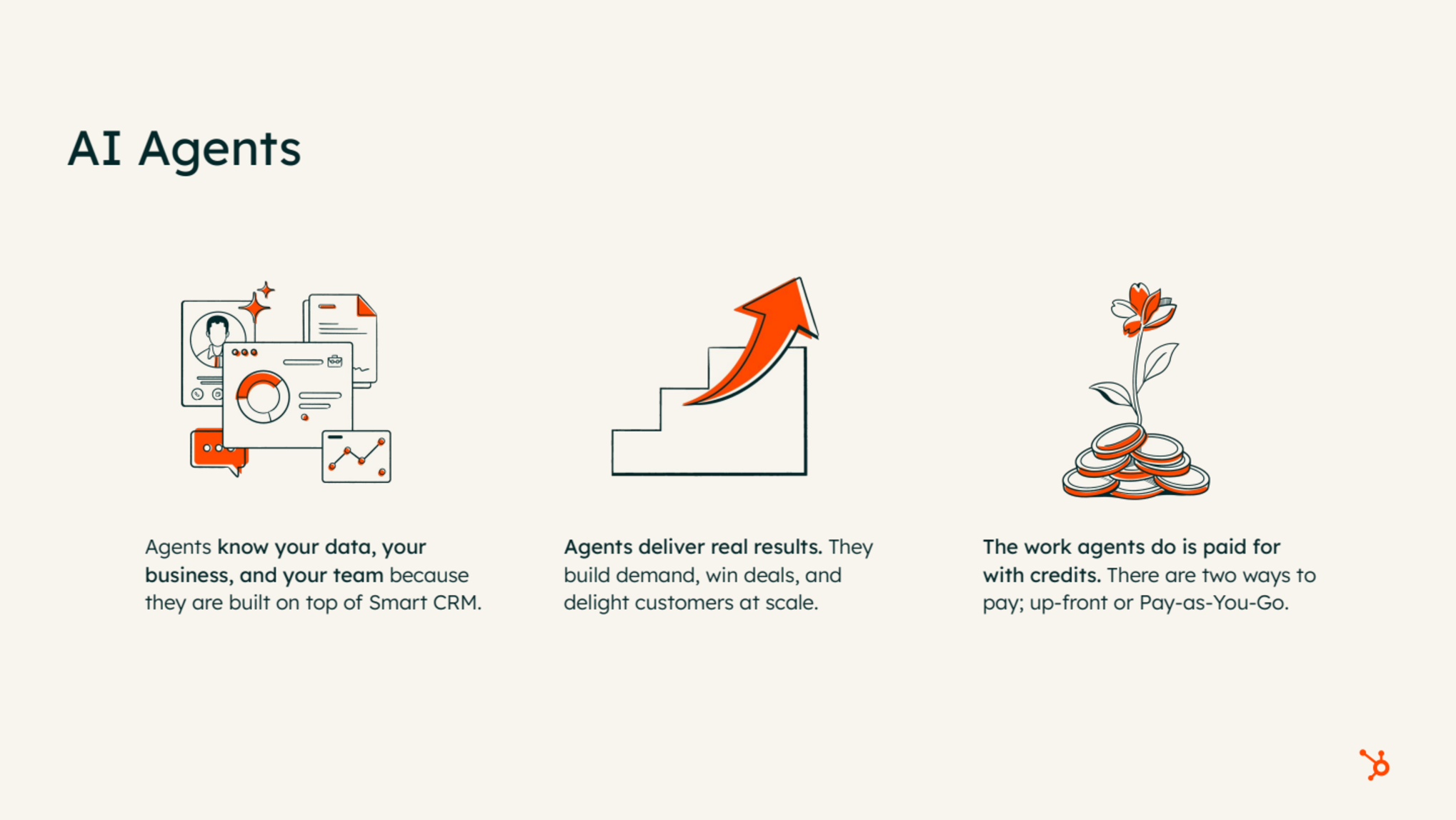
Credits are consumed primarily by AI agents, plus a small number of non-agent features such as buyer intent. In practice, the vast majority of consumption we see today comes from deploying agents across go-to-market motions.
- Each agent or feature consumes credits in a way that reflects the work it does.
- Some features have multiple distinct chargeable actions. The customer agent, for example, meters text-based conversations separately from voice conversations.
- Not every agent consumes credits. The campaign agent does not consume credits today.
- HubSpot publishes a rate sheet listing exhaustively what consumes credits and how. Always check it before you budget, because the list moves.
Source: HubSpot
Two ways to pay, and what your edition already includes
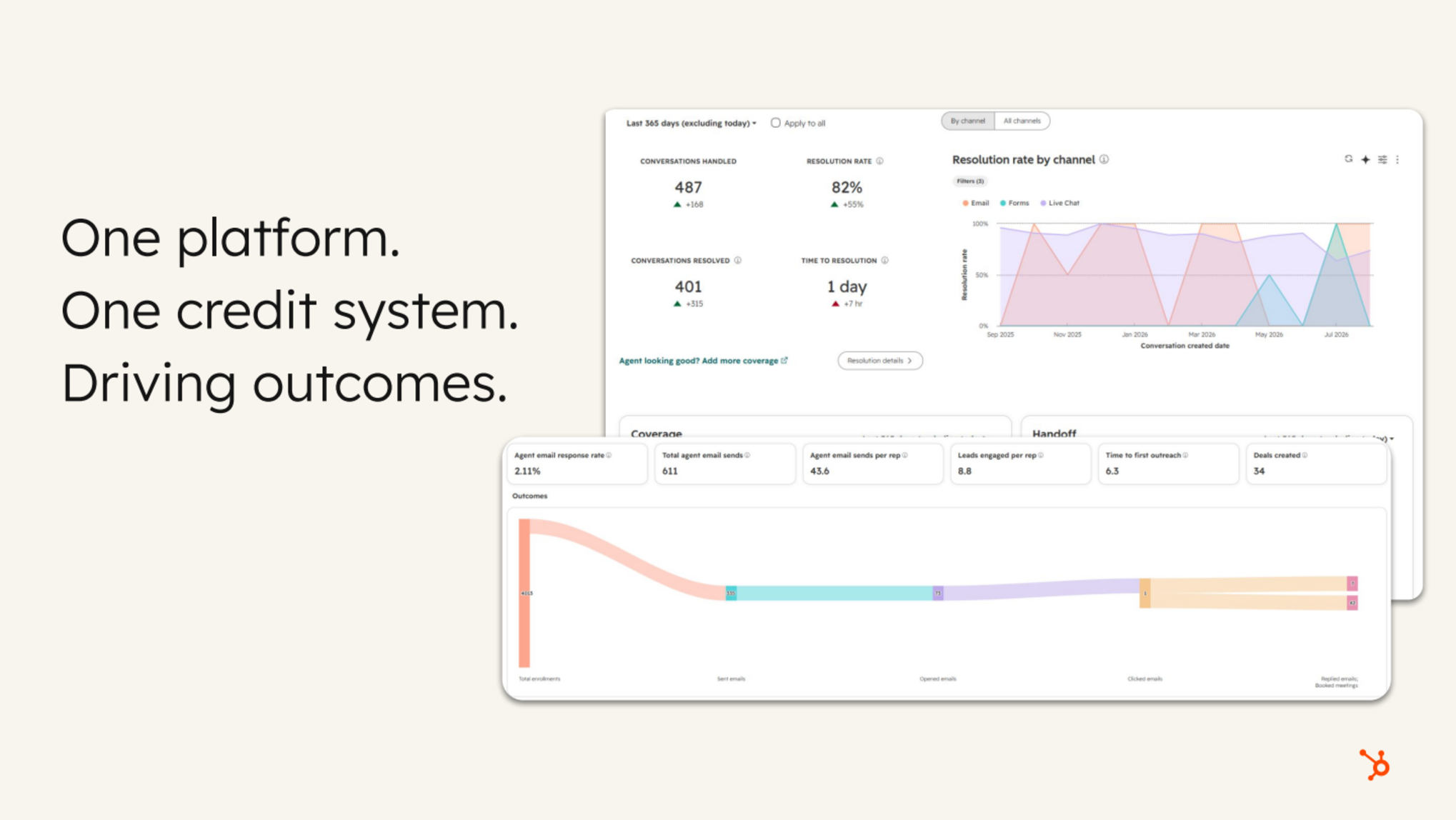
There are two ways to fund credit consumption:
- Buy credits upfront. More predictable spend and far easier month-on-month budget management.
- Pay as you go. Credits are consumed in real time as the work happens.
Every plan — Starter, Professional and Enterprise — includes a number of credits by edition. This is the question we field most often, so it is worth stating plainly: using your included credits does not tip you into paid overage. If you have not purchased additional credits, you cannot accidentally incur extra charges. Consumption simply stops when the included allowance is exhausted, and the product tells the user the monthly total has been reached.
One caveat that catches people out: unused credits do not carry over to the next month.
Source: HubSpot
Agent Hub: where the AI team lives
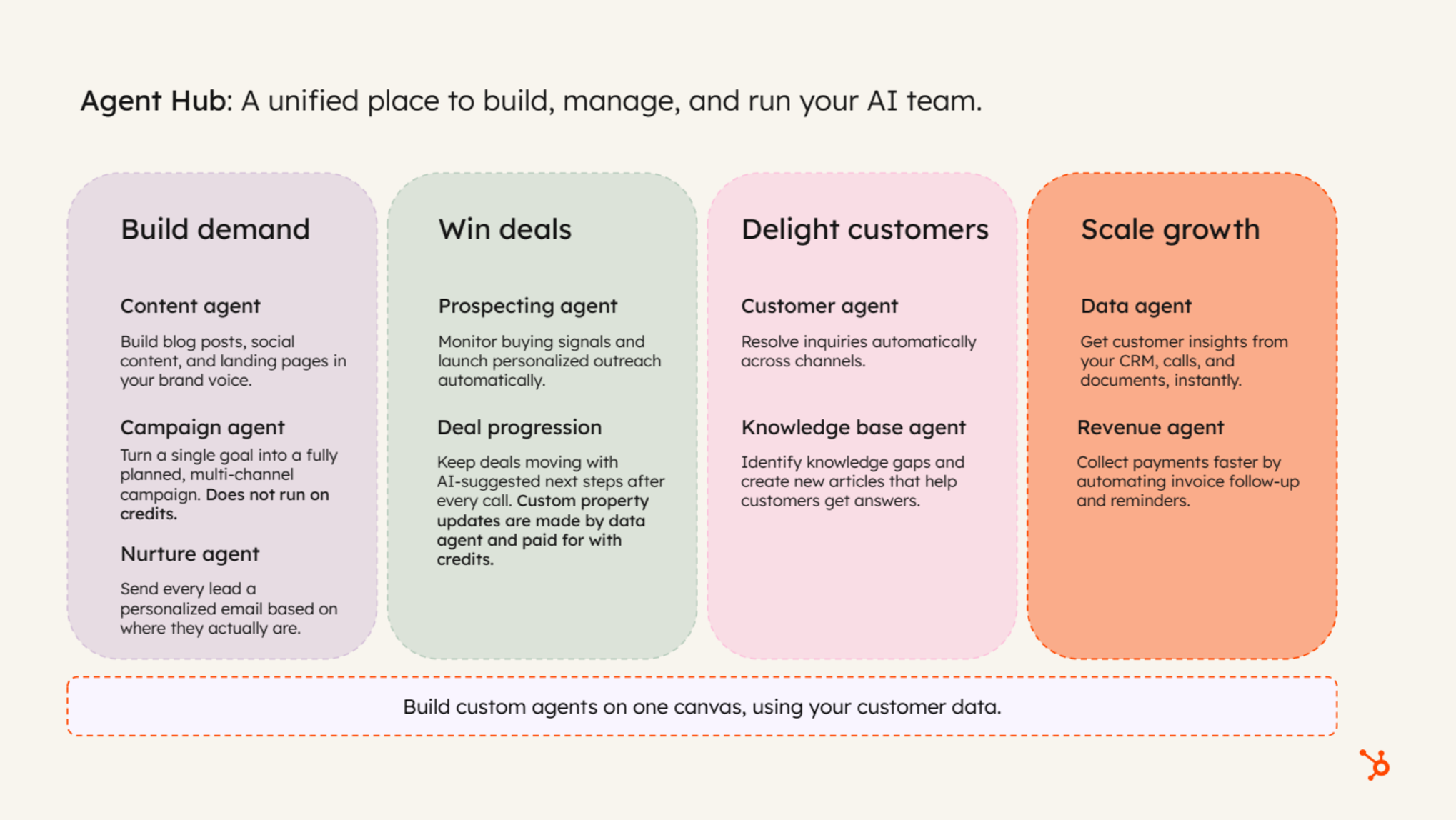
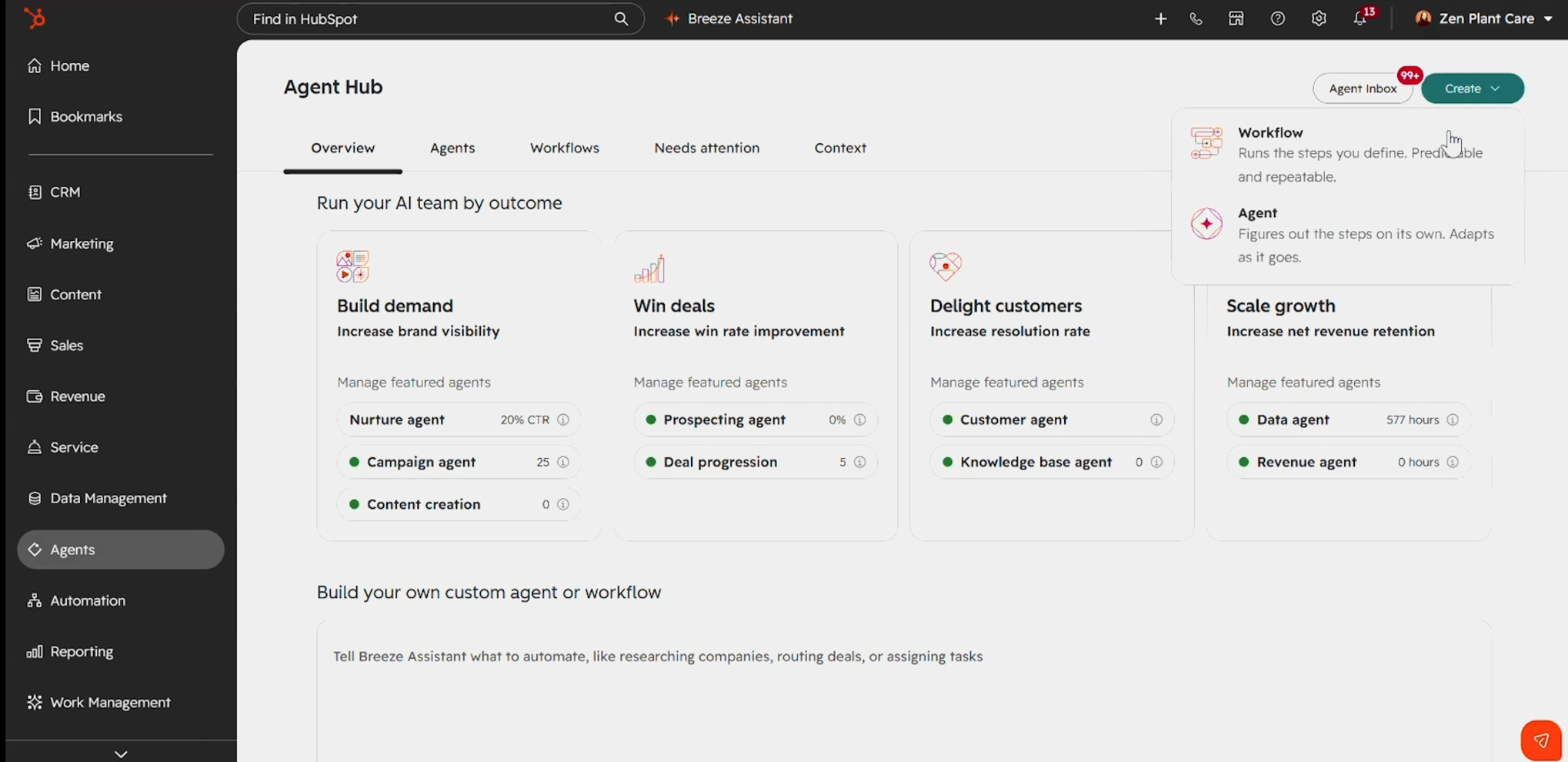
Agent Hub is the unified place to build, manage and run your agents. It lists every available agent and the outcomes each one is driving for the business, and it is where you create a new custom agent. You can reach it by several routes in the portal; the destination is the same.
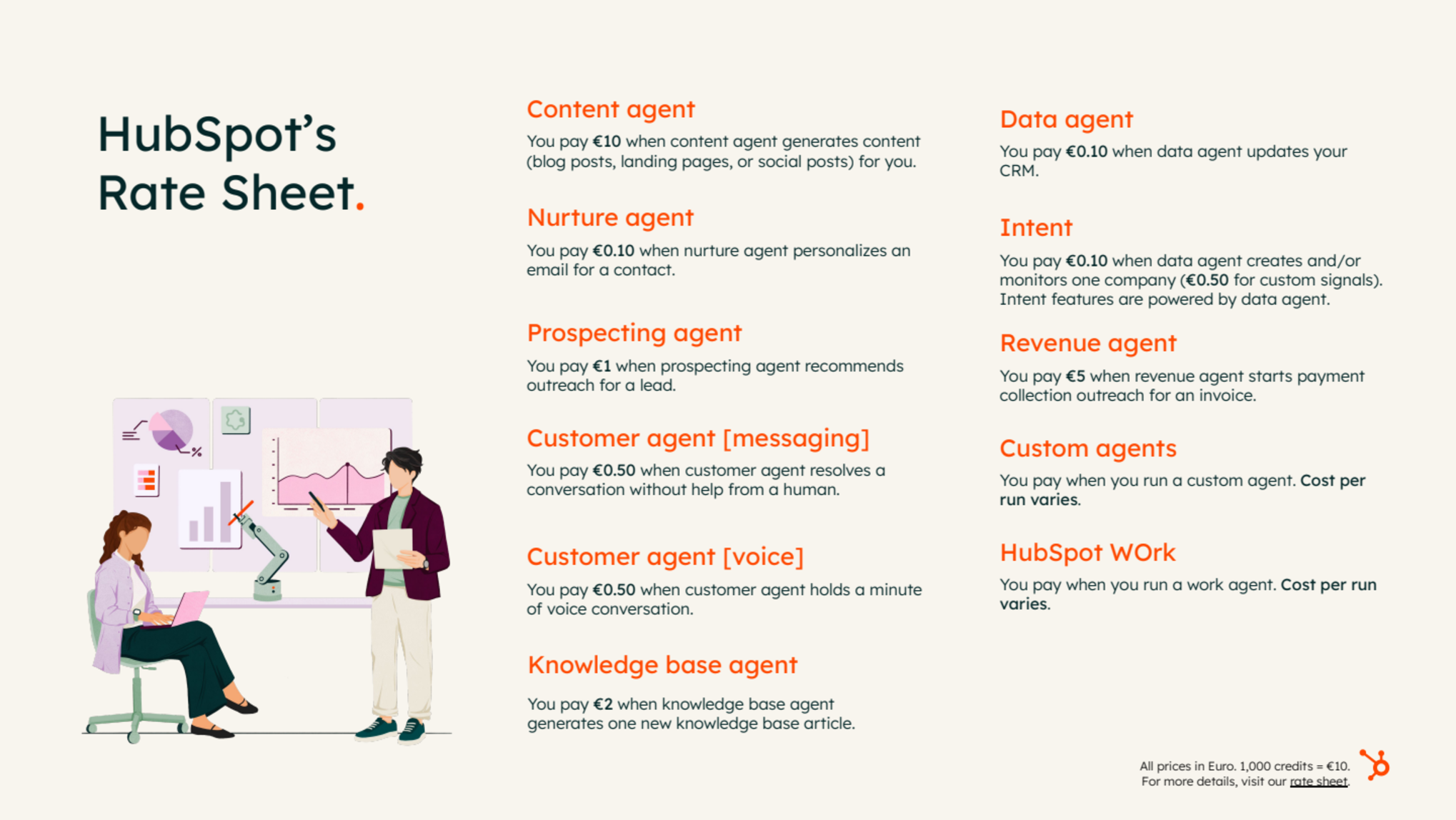
The rate sheet, agent by agent
Each agent is metered against the outcome it produces, not against a generic per-message charge. That distinction matters enormously when you model cost.
Source: HubSpot
Content agent
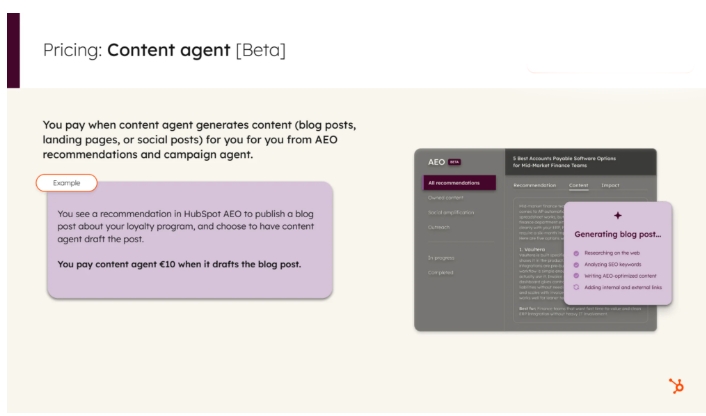
The content agent generates content with full HubSpot context: answer engine optimisation (AEO) recommendations, brand, voice, identity and your contact base. A typical pattern we like: AEO flags that your site has no coverage of your loyalty programme, you prompt the content agent to action that recommendation, and it produces the post. You pay when the content is generated.
Source: HubSpot
Nurture agent
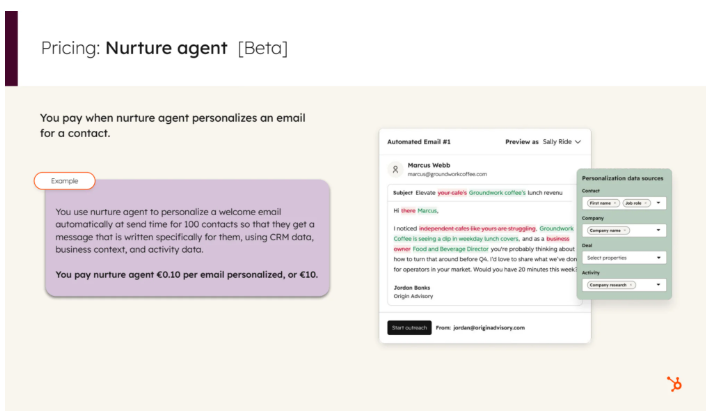
The nurture agent sits inside workflows and automated nurture motions, personalising an email immediately before it sends. You control the prompt. The agent can review CRM data, past activity and business context, research the web, and then personalise subject line, body and calls to action. You pay per email personalised and sent — roughly €10 for 100 contacts.
Source: HubSpot
Customer agent
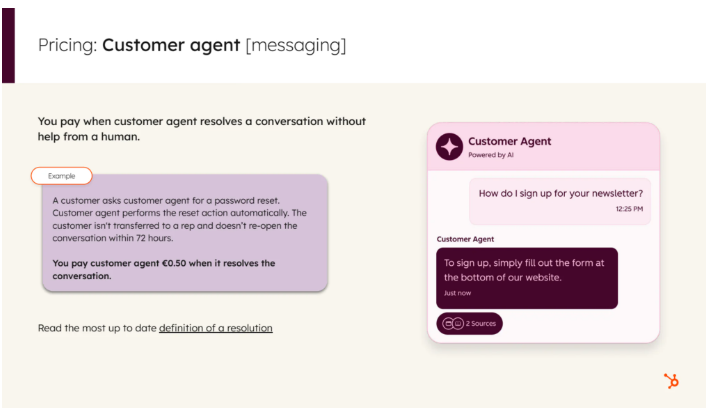
The flagship and longest-standing agent handles inbound questions across text-based channels such as live chat and email, and now across voice and calling channels too. Crucially, text-based conversations are charged per resolution, not per back-and-forth reply. A long conversation with eight exchanges that ends in one resolution is one charge.
A resolution means one of two things:
- The agent completes a configured action tailored to your business — for example, a password reset it has been trained to perform.
- The agent answers a question using a knowledge source, with the answer cited to specific sources, and the customer does not reopen the conversation within 72 hours.
Source: HubSpot
Prospecting agent
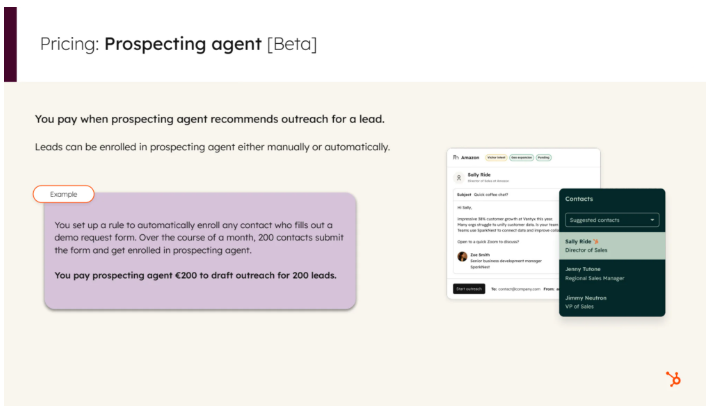
The prospecting agent is paid per outcome: you are charged at the point of enrolment, when the agent drafts outreach for a recommended lead. It does not act autonomously — it must be prompted and configured in the portal — but enrolment itself can be automated. It reviews your addressable market, target audience and target accounts, sources warm-fit leads from buying signals, and recommends them for a play. Manually enrolled leads trigger research plus drafted outreach and are charged the same way.
Source: HubSpot
Data agent
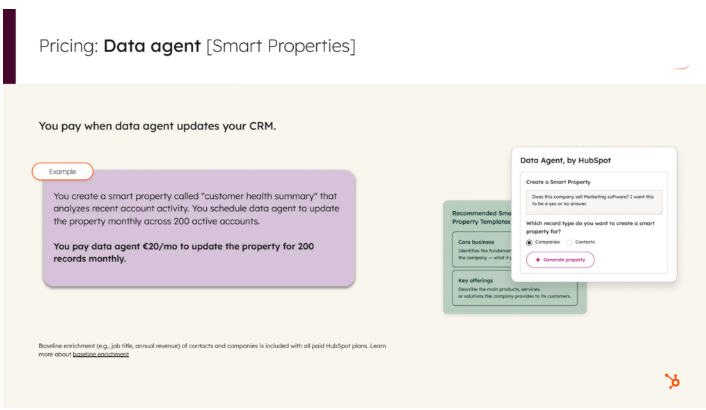
The data agent is pervasive across the platform and keeps the CRM current by updating properties. You pay when it updates an individual property — for example, reviewing past CRM activity or researching a contact on the web and writing the finding back into a HubSpot property.
Source: HubSpot
Custom agents: the one that varies
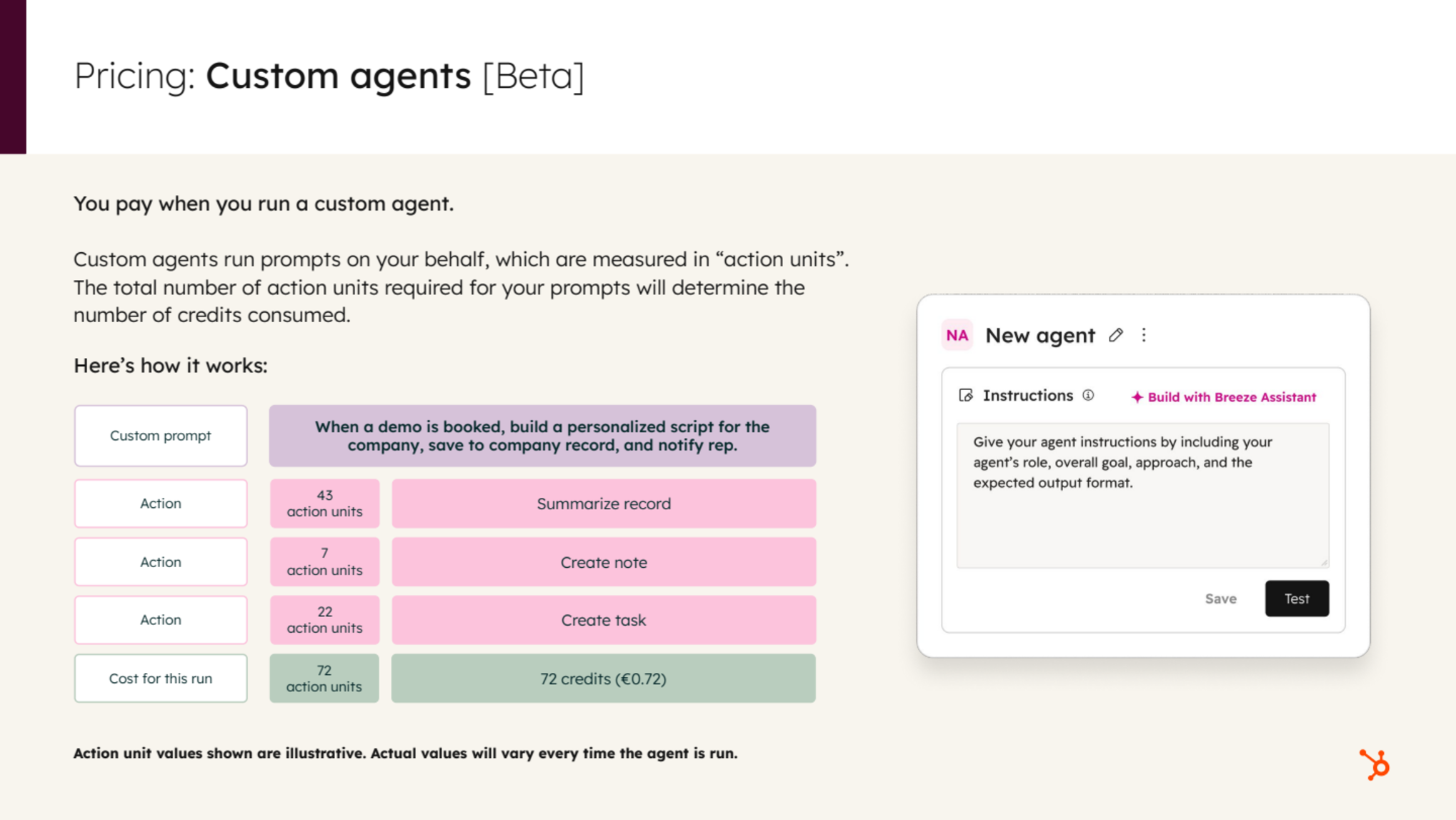
Custom agents are the most complex piece of the model and the part worth understanding properly. You define prompts, instructions, knowledge sources, guardrails, the things to care about and the things to ignore — much like working with an LLM directly. You pay per run, but cost per run is not fixed.
Source: HubSpot
Action units, and why identical runs cost different amounts
Every action an agent takes consumes a number of action units — the metering unit for how much work the agent has done. At the end of a run, the total action units equate to the number of credits that run costs.
Take an agent triggered whenever a demo is booked. It must summarise the company record, research recent activity, personalise a script, create and save a note, and create a task to notify the company owner. The mechanical work — creating the note and the task — is consistent across every company. The agentic work is not. Summarising a brand-new company record with almost no CRM history costs materially less than summarising a decade-old record with years of activity behind it.
This leads to the most useful rule we apply: broad instructions are expensive instructions. Telling an agent to "search my entire CRM" creates enormous work per run. Guardrails and a defined order of operations make the agent run far more efficiently. Good agent hygiene is a cost control.
Where the cost actually sits
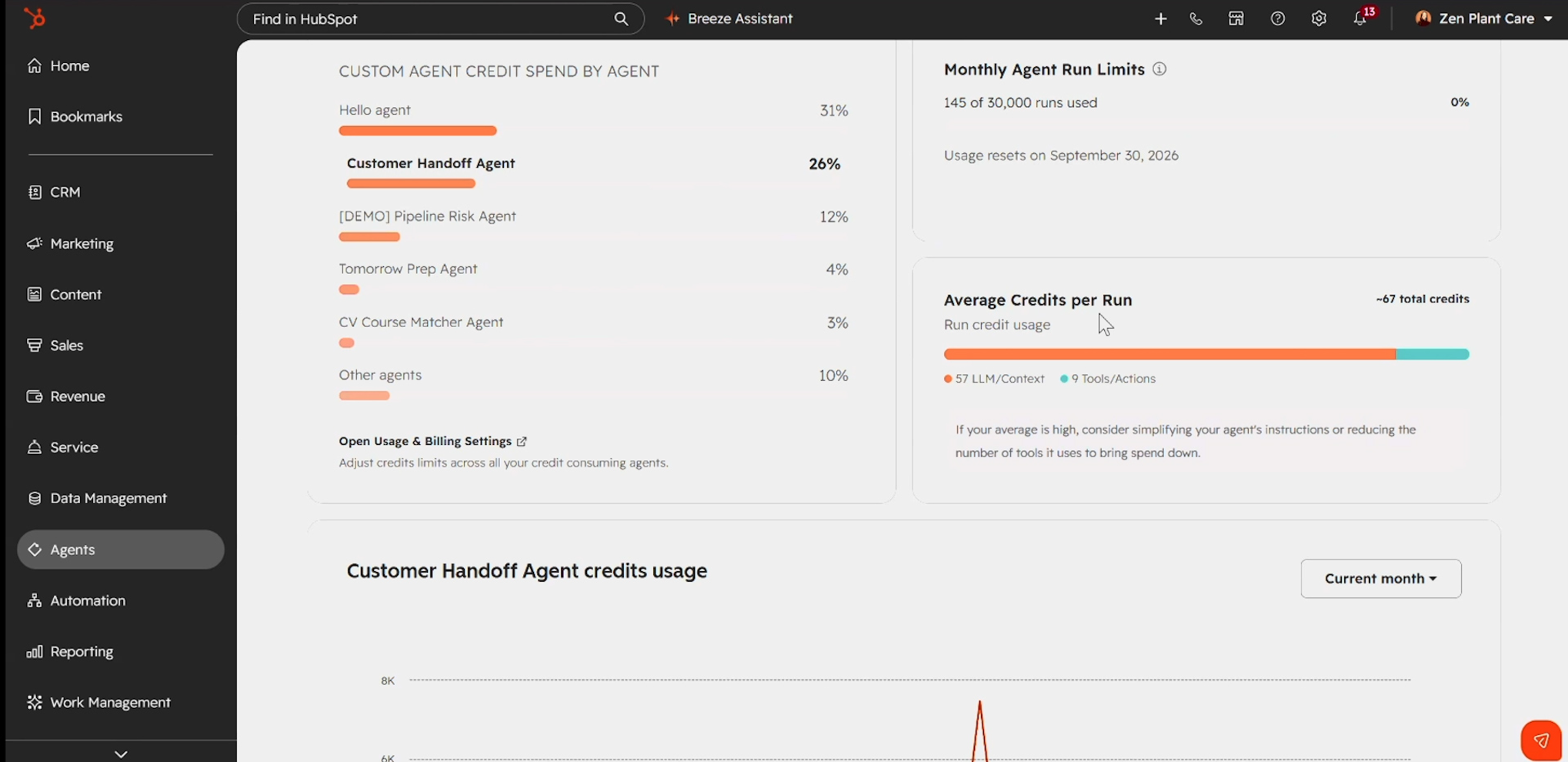
When we inspect the credits breakdown on a working custom agent, the pattern is consistent: most of the cost per run comes from LLM and context work — analysing, researching, sourcing from the web, interpreting portal data inside the agent's context. Very little comes from actions such as creating, saving or updating records. Those are bounded, predictable and cheap.
That is a surprising result for many admins, who assume writing to the CRM is the expensive part. It isn't. Reasoning is.
Source: HubSpot
Forecasting custom agent cost before you publish
Because cost per run varies, the only honest way to forecast is to build the agent and test it. Testing is the part most teams skip, and it is the part that de-risks everything:
- Agents in draft mode can be tested and no credits are consumed during testing.
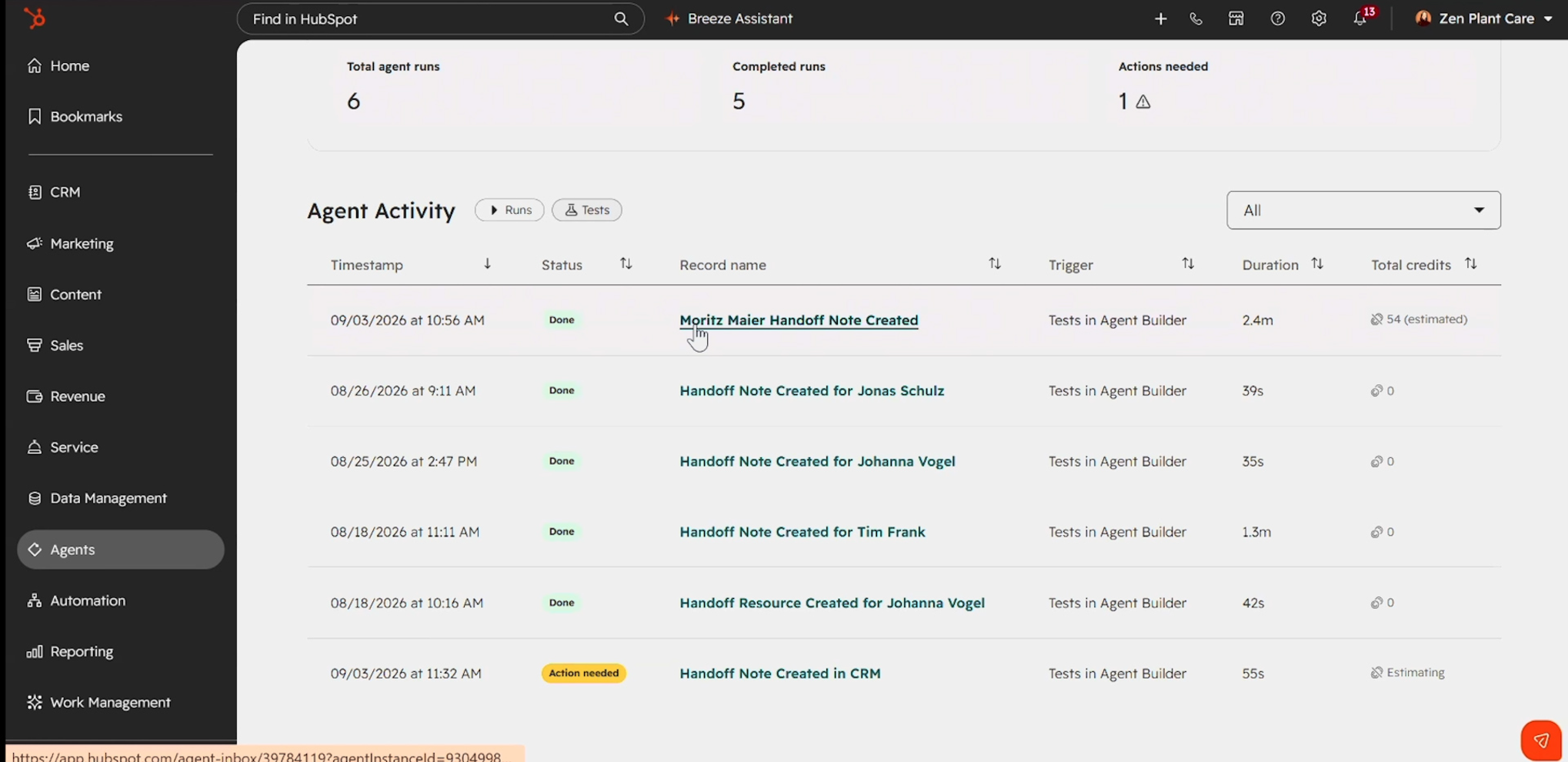
- Each test returns an estimated cost per run, and across tests you get an average — the best indicator of cost at scale. We have seen single test runs estimated at figures such as 54 credits, with full step-by-step detail available.
- Test across a deliberately broad range of records: old ones with years of history and new ones with almost no context. Otherwise your average is meaningless.
- Some test runs return zero credits, typically because of an error or because no actions were involved. Read those carefully rather than treating them as cheap runs.
Two levers give you consistency. The first is the prompt: instruct the agent to review only the past month of activity rather than all historical data, and your outliers collapse. The second is representative testing across record types. HubSpot documents best practices for agent prompts, and they are worth following before you start engineering your own.
Control, approval and inspection
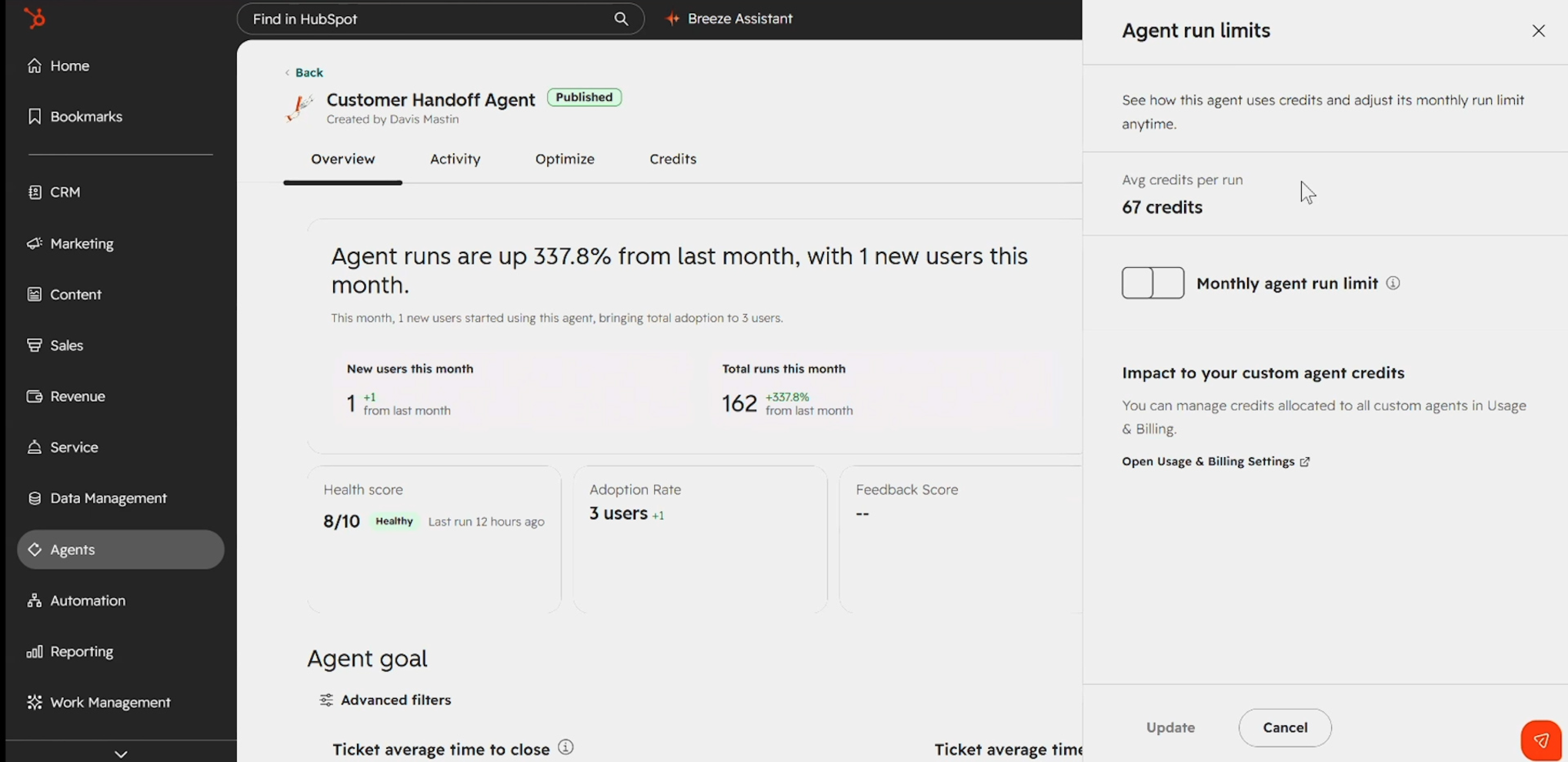
- Run limits can be set and adjusted per agent. Your effective monthly spend limit for that agent is run limit × average credits per run.
- Human-in-the-loop is supported: require an approval step before the agent creates or updates a record, and runs appear as "action needed" until someone approves them.
- Clicking into a run opens the agent inbox, where you can inspect every individual step the agent took. This is where optimisation work actually happens.
Source: HubSpot
Spend controls: how the portal keeps you in control
Spend controls apply specifically to customers who have purchased additional credits. If you are living inside your edition's included allowance, they are not relevant to you — you cannot overspend.
The controls nest hierarchically, and that structure is the key mental model:
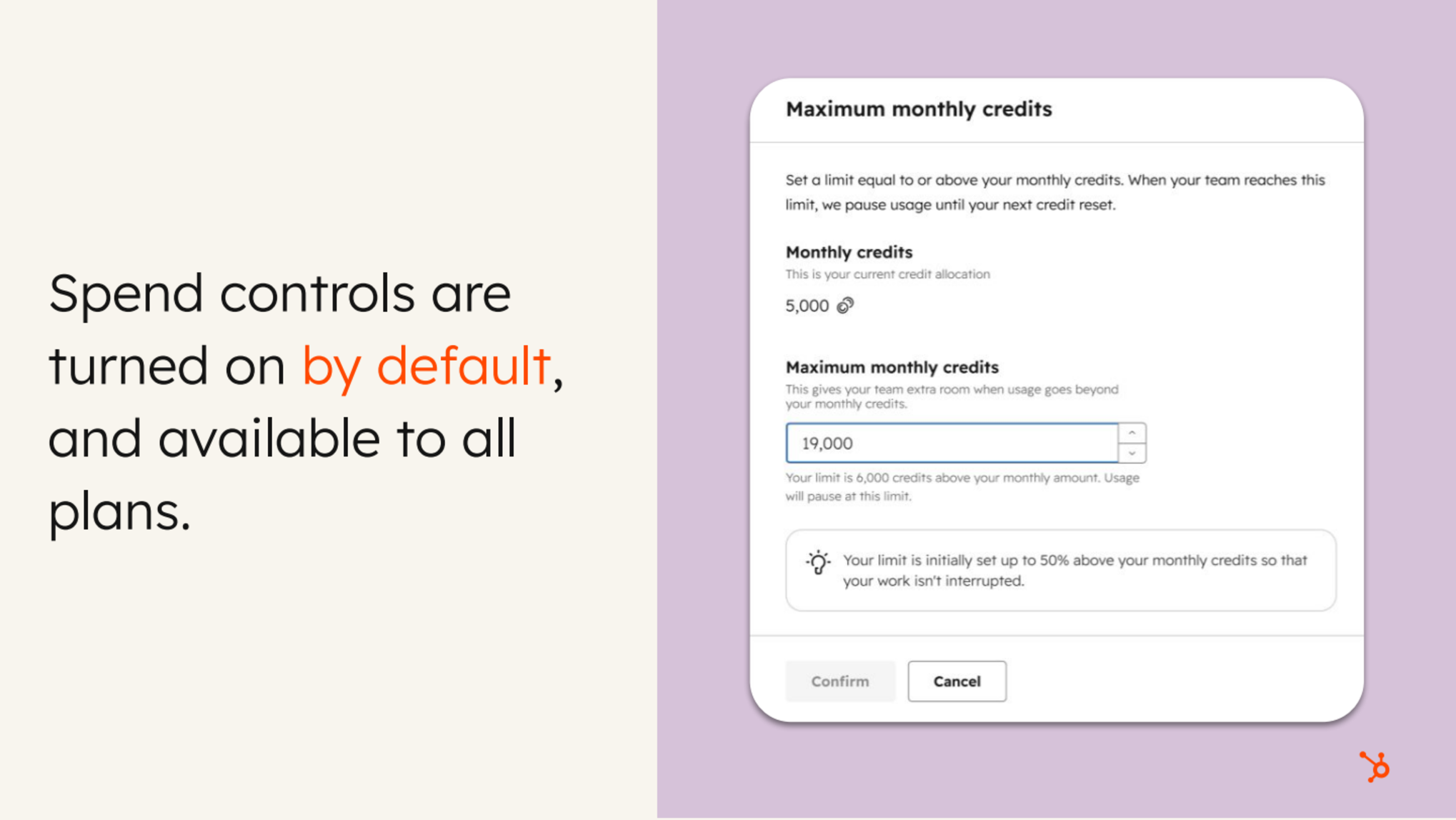
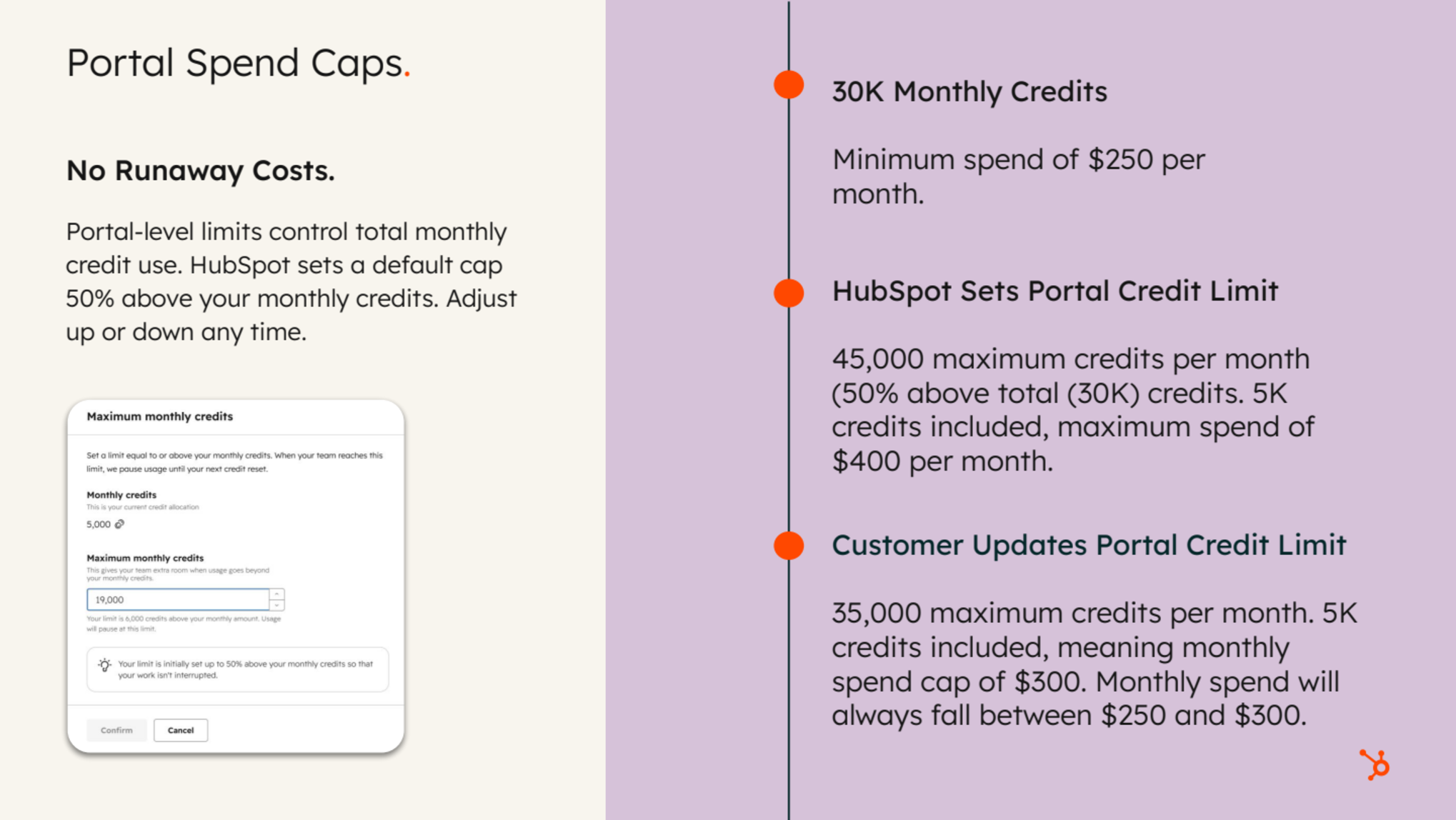
- Portal spend cap — the maximum credits consumable across the whole portal in a month (for example, 8,000 credits).
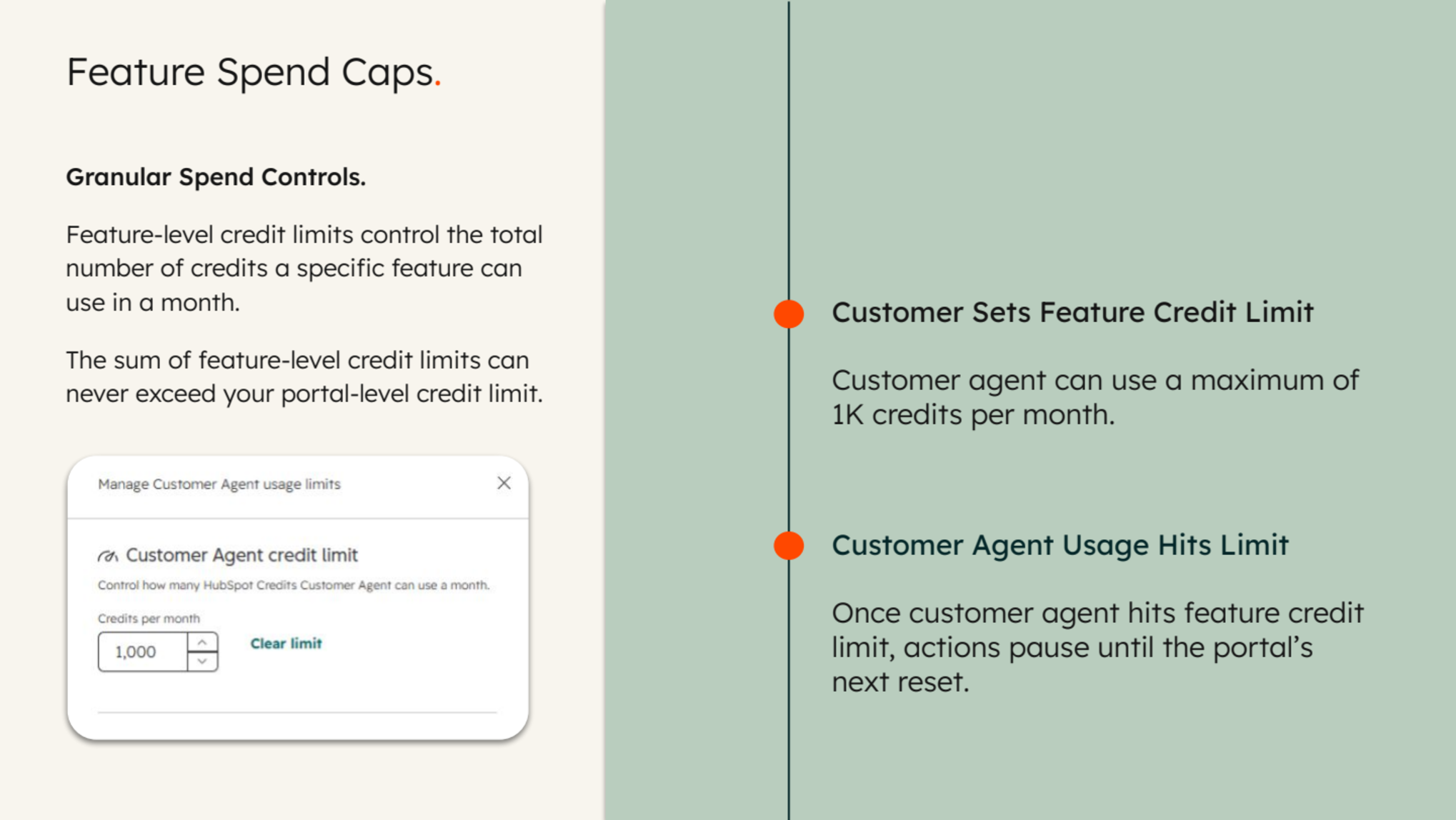
- Feature spend caps — a monthly credit ceiling per feature: custom agents, customer agent, content agent, data agent and so on.
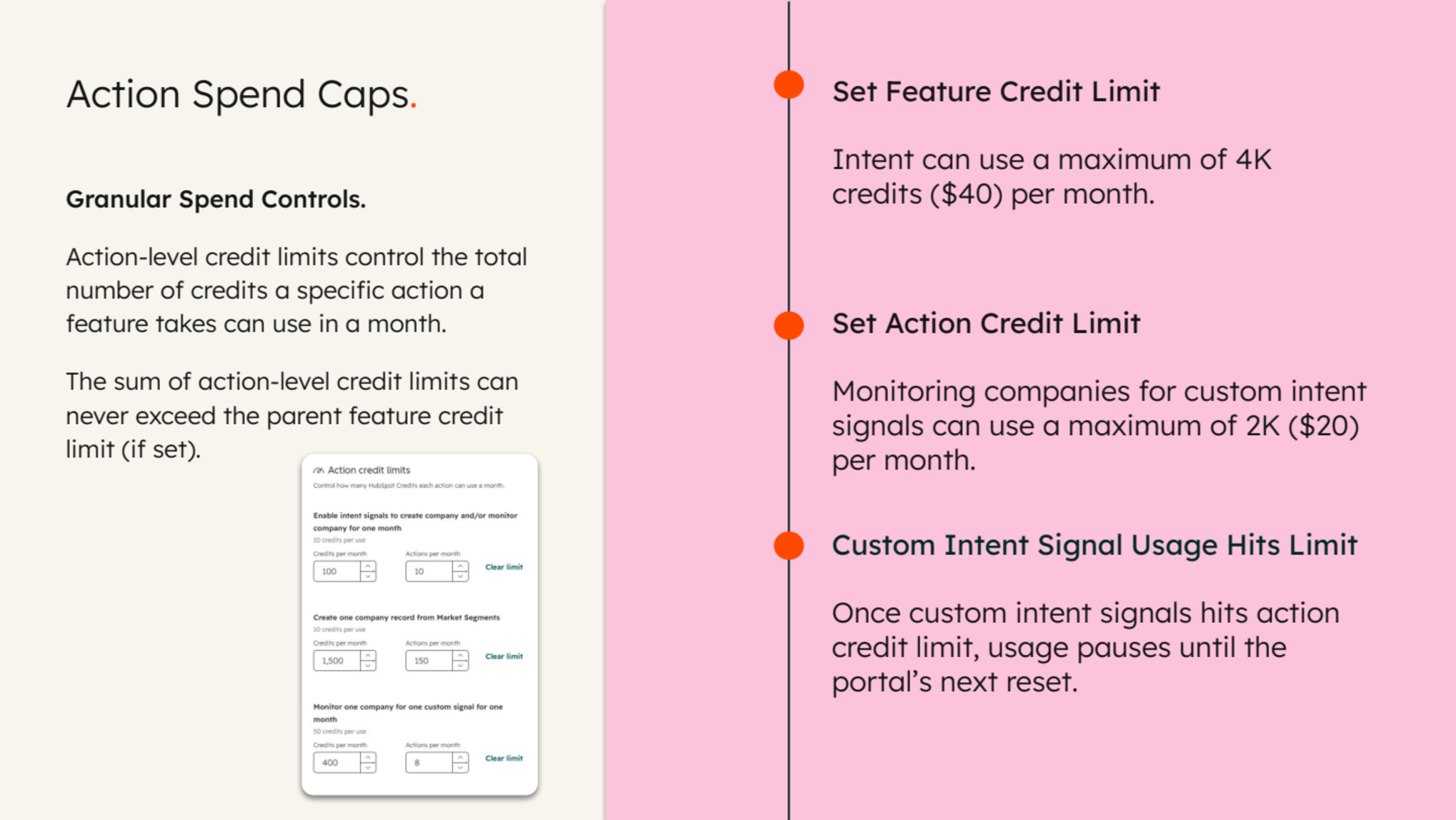
- Action spend caps — the newest layer, for features with multiple action types. The customer agent splits text-based channel conversations from voice conversations; buyer intent splits custom signals from standard signals.
The sum of your action-level limits cannot exceed the feature-level limit, and the sum of your feature-level limits cannot exceed the portal-level limit. The purpose is deliberate: concentrate credit spend on the tools genuinely driving value, and put guardrails on everything else.
One change we welcome — HubSpot now sets a portal-level spend cap automatically the first time you buy additional credits. Runaway costs and shock invoices are prevented by default, and you can adjust the cap up or down at any time.
Source: HubSpot
The credits dashboard
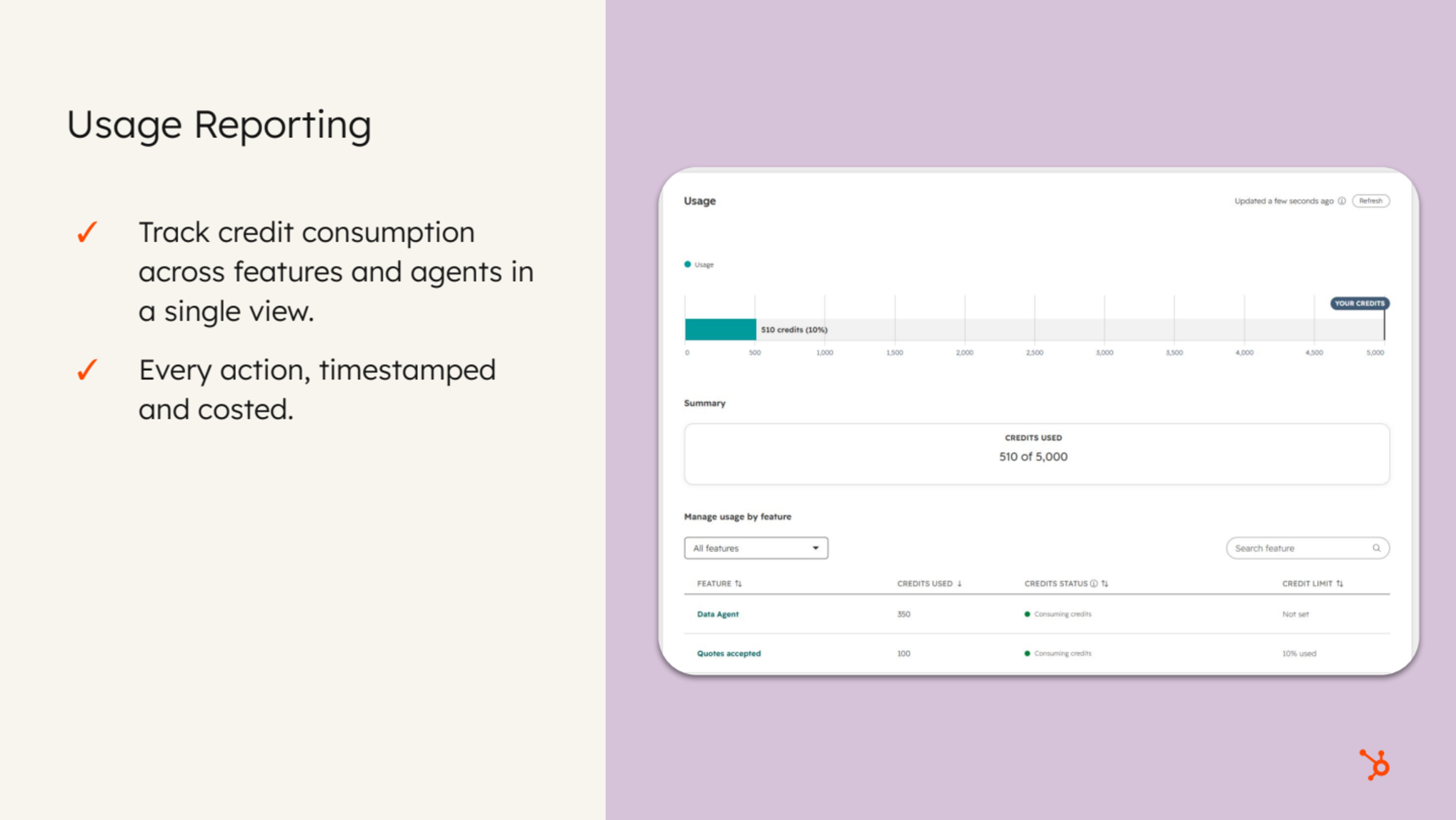
Everything lives under Account & Billing in HubSpot. That is where limits are set and adjusted and where usage reporting sits: which features are on, consuming, not consuming or paused; individual actions; and historical usage trends. Access depends on permissions — admins and those granted access see the full reporting picture, including historical trends.
Source: HubSpot
Feature pausing — and the misconception to avoid
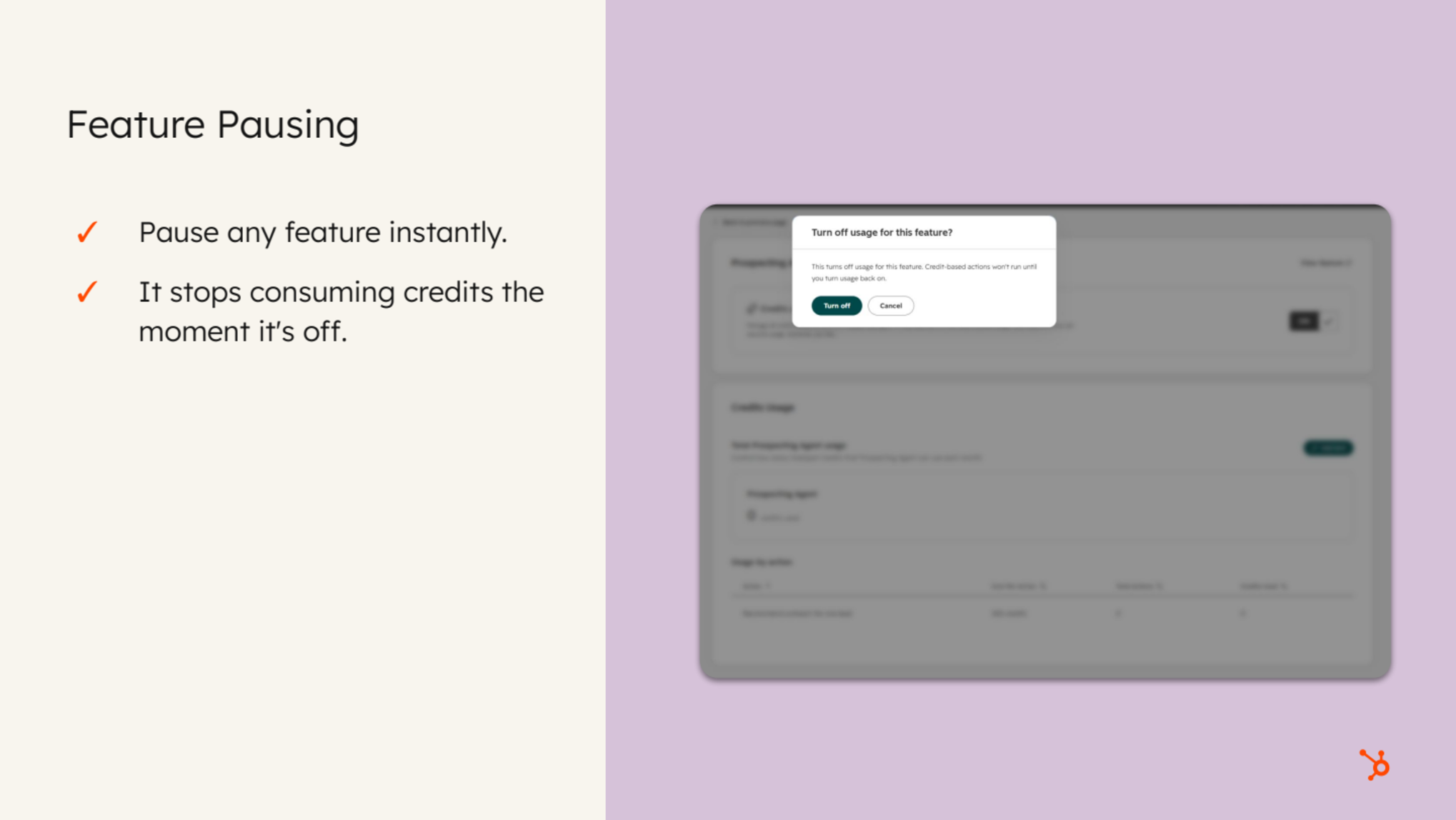
You can pause a feature entirely if priorities shift and you never want it consuming credits. Pausing stops consumption until it is switched back on, which is excellent protection against accidental spend.
The misconception worth correcting: pausing does not let you keep using the feature for free. It pauses the credit-consuming feature itself, which may affect users and teams across the portal. Communicate before you pause.
Source: HubSpot
Notifications and in-product education
- Billing contacts and admins receive notifications at set thresholds as the monthly credit limit is approached.
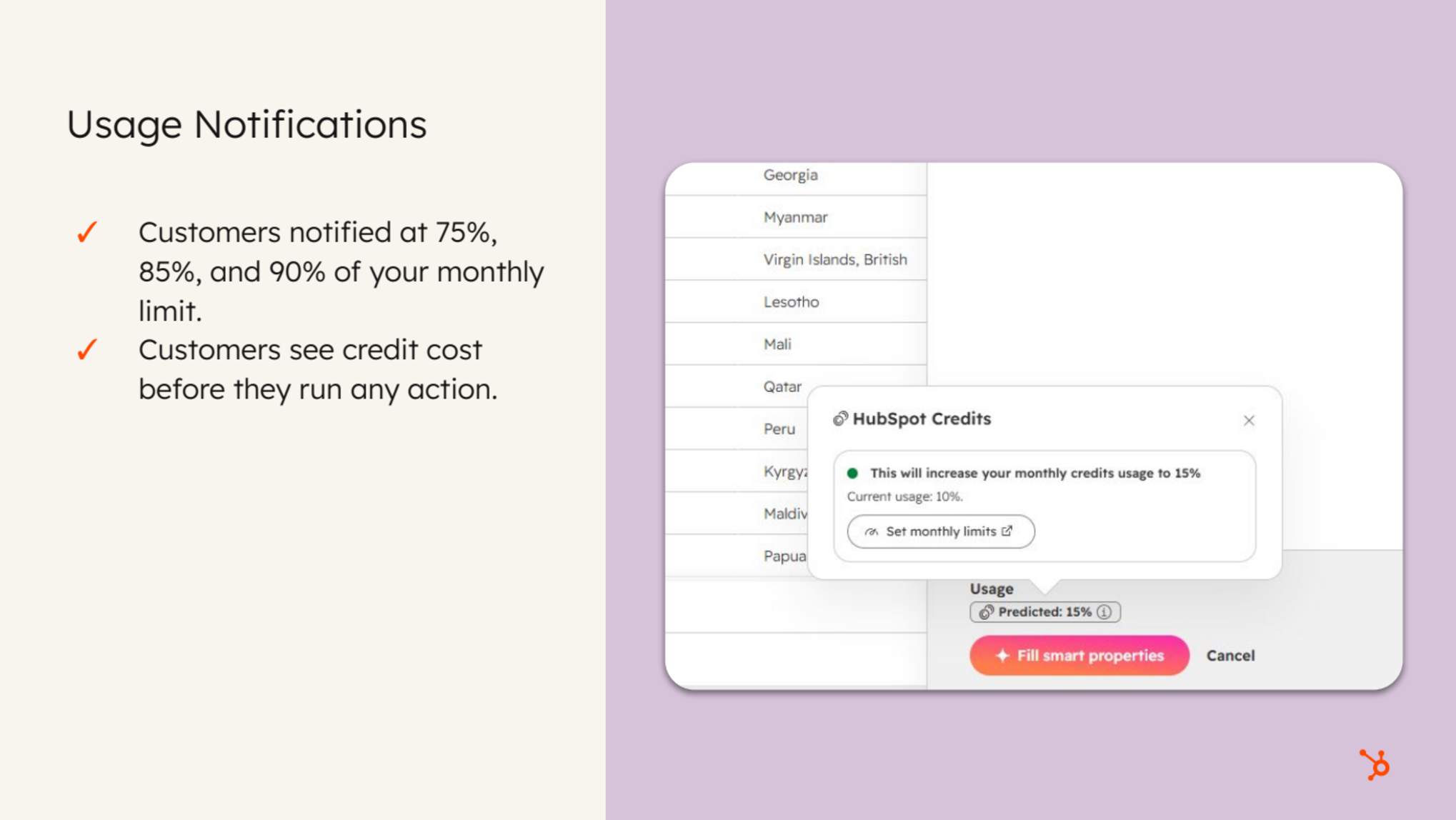
- Before any credit-consuming action, the product warns the user that credits will be consumed and, where a limit exists, shows how much of that limit the action will use — for example, that filling a smart property takes you to 15% of the limit.
That second control is underrated. It moves cost awareness to the person taking the action, not just the person reading the invoice.
Source: HubSpot
Custom agents versus HubSpot-built agents
We get asked constantly whether to build custom or use what ships in the box. Our default position:
- Start with HubSpot-built agents. They are already optimised to run efficiently, and you do not need to engineer prompts and instructions to get sensible cost behaviour.
- Build custom when the need genuinely falls outside what a built-in agent can do.
- Agent Builder lets you chain HubSpot-built and custom agents into a single flow, and a custom agent can be added as a prompt step in a workflow for tighter, more controlled triggering.
- Custom agents behave much like workflows and can be embedded within the agent builder alongside traditional workflow actions, so external data can be pulled in and made available to the agent.
On scale: there is effectively no hard ceiling on custom agents, in volume or complexity. Where an agent must reference external tooling consistently and frequently on every run, it is worth mapping whether to build it outside HubSpot on top of the MCP and connect it back in via connectors to the core LLMs. That can produce a more centralised stack. It is a solutioning decision, not a limitation.
Content agent versus a general-purpose LLM
A fair challenge: why spend credits on the content agent when Copilot, Claude or GPT will draft copy at effectively no marginal cost?
Our honest answer is that they solve different problems. General LLMs produce raw copy efficiently — you get a drafted document. What you do not get is a publish-ready, optimised page. The content agent's advantage is proximity to your business context:
- It sits on top of where your brand, tone, logo and imagery already live, so it isn't guessing.
- It has context on your AEO recommendations, and is built to think with answer engine optimisation and brand visibility in search in mind.
- Where your site, landing pages or blog are hosted on HubSpot, it gets you from zero to ready-to-publish considerably faster.
The practical drawback of external LLMs is repetition: restating brand rules on every prompt — "our brand hates the Oxford comma" — is a tax you pay forever. A properly configured content agent already knows. For pure copy editing and drafting, an external LLM is perfectly fine, and we use both in different capacities. Agentic tools are only ever as powerful as their understanding of your business.
Where we recommend you start
If credit anxiety is what is holding you back, sequence it like this:
- Data agent first. It is insular, controlled and human-in-the-loop. You decide which properties it updates, with what context, and when.
- Customer agent next. Strong control comes from defined actions and knowledge base sources configured specifically for your business, and per-resolution pricing is easy to model.
- Custom agents in test mode. Available on Starter plans and up via the agent builder, testable at no credit cost, with an average cost per run returned before you publish. Use your included credits to experiment — it is genuinely low-risk learning.
- Configure limits before you scale. If you have bought additional credits, set portal-level and feature-level spend limits aligned to budget. With those in place, you can proceed confidently.
Questions we get asked most
Can included credits be used on any feature?
Yes. Included credits can be spent across any credit-consuming feature, up to the included threshold. As a rough illustration, if you have 3,000 included credits and a lead costs 100 credits to enrol, that is around 30 leads a month — the 31st cannot be enrolled, and the product tells you the monthly credit total has been reached. Treat the arithmetic as indicative only and check the current rate sheet for the credit values that apply to your portal.
Can I accidentally tip into pay-as-you-go charges?
No. If you have not purchased additional credits, there is no automatic overage. Overage only applies where additional credits have been bought — and even then, HubSpot now sets a portal-level spend cap by default.
Do unused credits roll over?
No. Unused credits do not carry over to the next month.
How do I forecast custom agent cost when every run differs?
Build it, test it across a representative spread of old and new records, and use the average cost per run from those tests. Tighten the prompt — for example, limiting the agent to the last month of activity — to reduce outliers.
Does more prompting make an agent more expensive?
Yes, on the LLM and context side rather than the tool and action side. More context to process and more reasoning to perform is what drives cost, not the record updates at the end.
Is there a size at which I should build outside HubSpot?
Not because of scale. The trigger is dependency on external tooling. If an agent must reference external tools consistently on every run, map whether building on top of HubSpot's MCP and connecting back in gives you a cleaner, more centralised architecture.
Take the next step
Credits stop being frightening the moment you treat them as an operational design problem rather than a billing mystery. Build one custom agent, test it before you publish, read the credits breakdown to see where the reasoning cost sits, then set your portal and feature caps to match the budget you actually have.
If you would like a second pair of eyes on your agent architecture, your prompt hygiene or your spend cap structure before you scale, our team works on exactly this kind of HubSpot problem every week. Start a conversation with us — bring your use case and we will map the cost model with you.